
How to Install the Octohide VPN APK on Android (Step-by-Step Guide)
If you can't install apps from the Google Play Store or simply prefer installing applications manually, you can install Octohide VPN using the APK file.
This guide explains how to safely download, install, and set up the Octohide VPN APK on your Android device in just a few minutes.
Direct Answer
To install the Octohide VPN APK:
- Download the latest APK from the official Octohide website.
- Allow your Android device to install apps from unknown sources.
- Open the downloaded APK file.
- Follow the installation prompts.
- Launch Octohide VPN and connect to a server.
Why Install the APK Version?
Most Android users install Octohide VPN from Google Play. However, there are situations where installing the APK version is the better option.
Common reasons include:
- Google Play isn't available on your device.
- Your device doesn't support Google Mobile Services (GMS).
- You prefer downloading apps directly from the developer.
- You're troubleshooting Play Store installation issues.
- You need the latest APK release.
Regardless of how you install it, you'll have access to the same core VPN features.
Before You Begin
Before installing the APK, make sure:
- Your Android device is running a supported version of Android.
- You have a stable internet connection.
- You have enough storage space for the installation.
- You download the APK only from the official Octohide website.
Downloading APK files from unofficial sources can expose your device to modified or outdated applications.
Step 1: Download the Octohide VPN APK
Visit the official Octohide website and download the latest APK version.
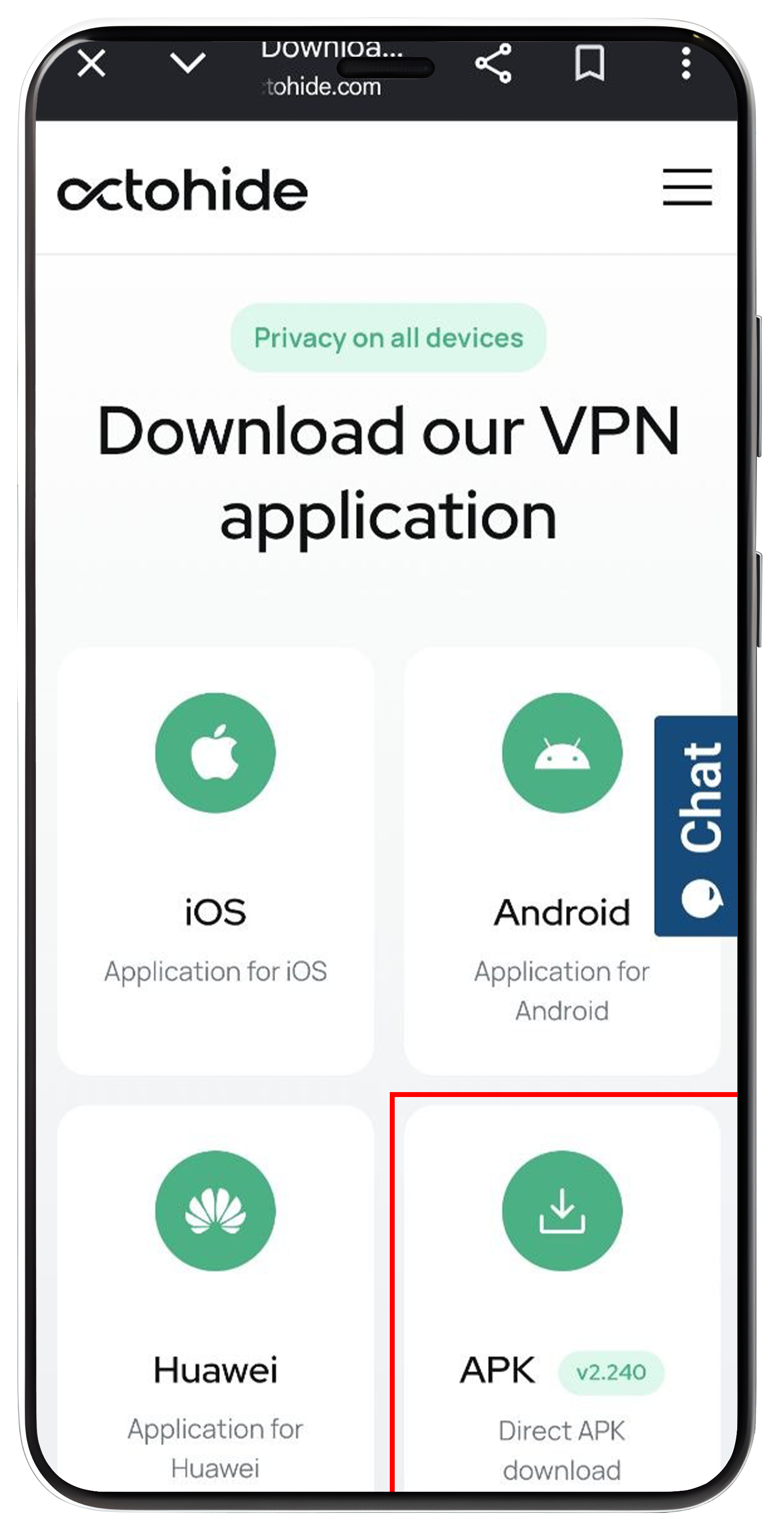
Using the official source ensures you receive:
- The latest version
- Security updates
- New features
- Official support
Always avoid downloading APKs from third-party websites unless you fully trust the source.
Step 2: Allow APK Installation
Android may display a message stating that your browser or file manager isn't allowed to install unknown apps.
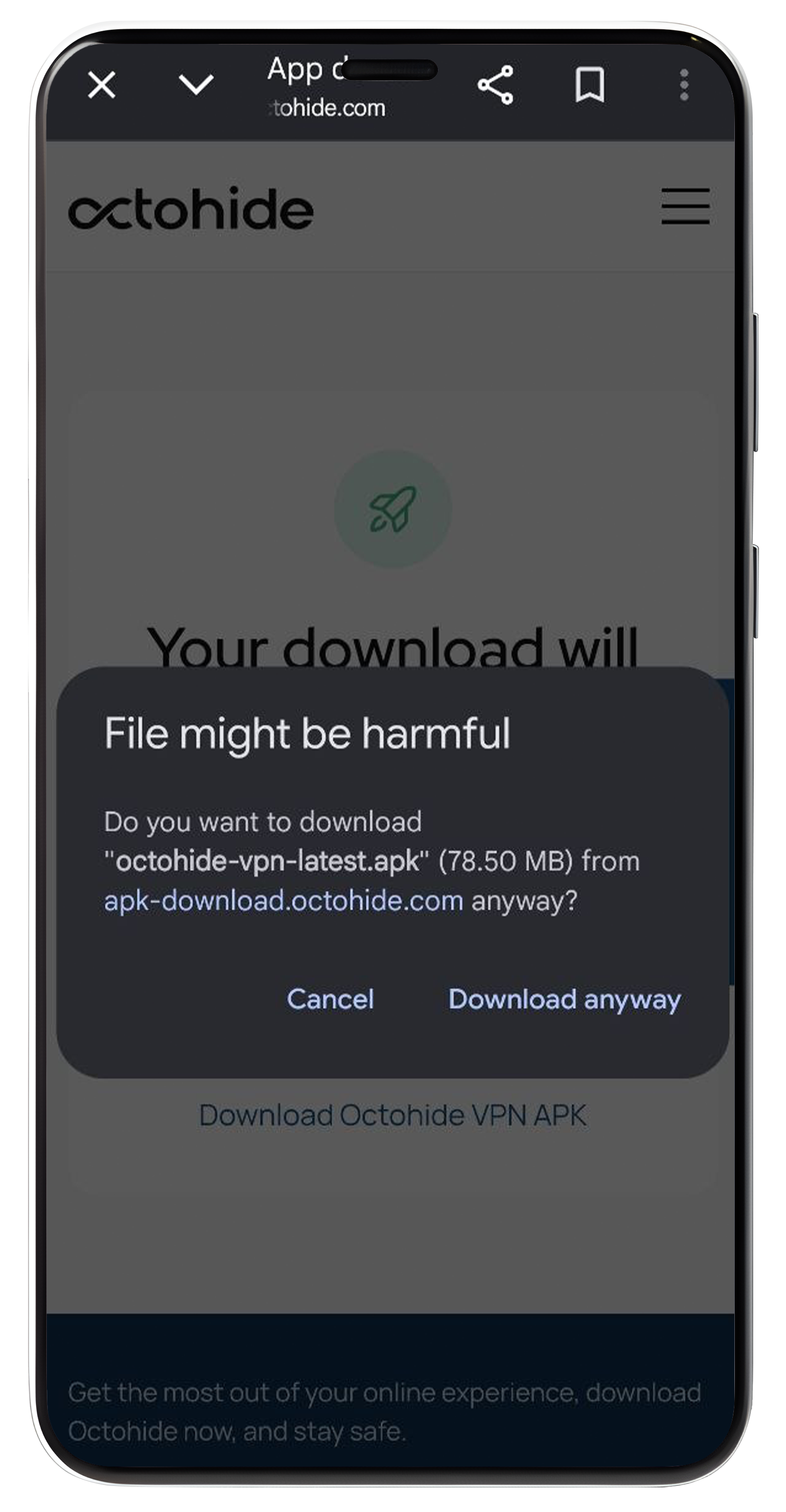
If prompted:
- Tap Settings.
- Enable Allow from this source (or Install unknown apps, depending on your Android version).
- Return to the installer.
This permission only allows the selected app (such as your browser) to install the APK.
Note: The wording may vary depending on your Android device and manufacturer.
Step 3: Install the APK
Locate the downloaded file in your Downloads folder.
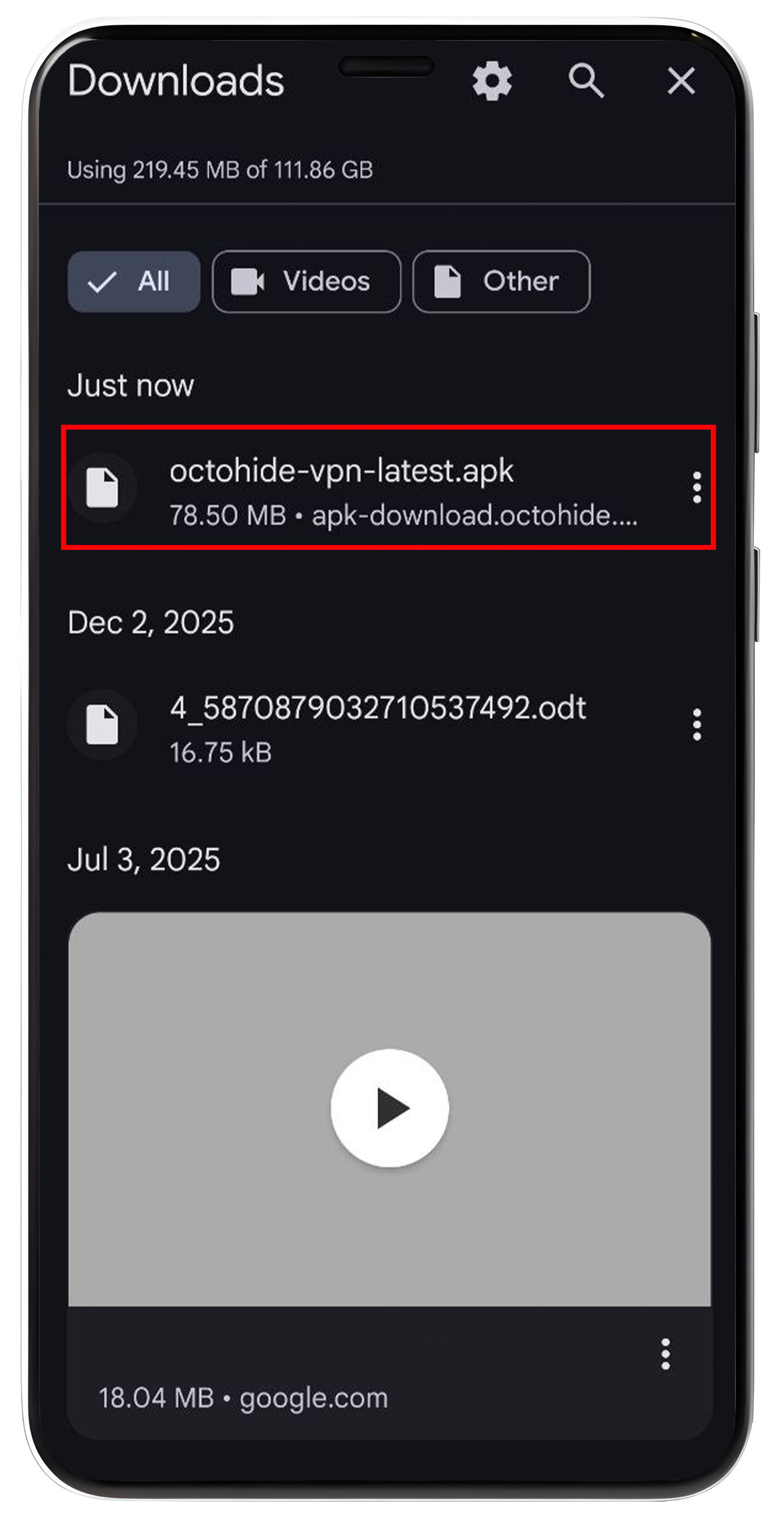
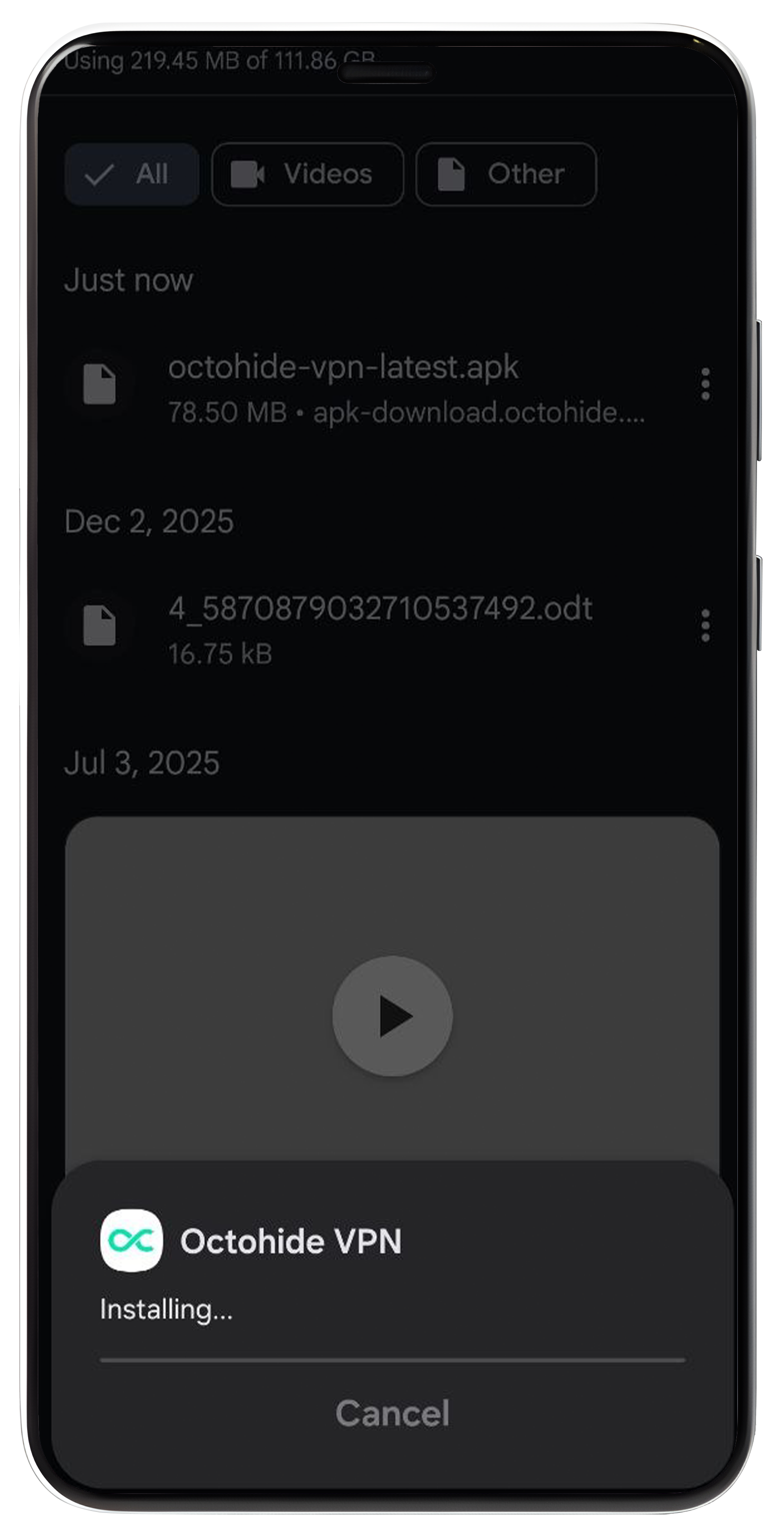
Tap the APK and select Install
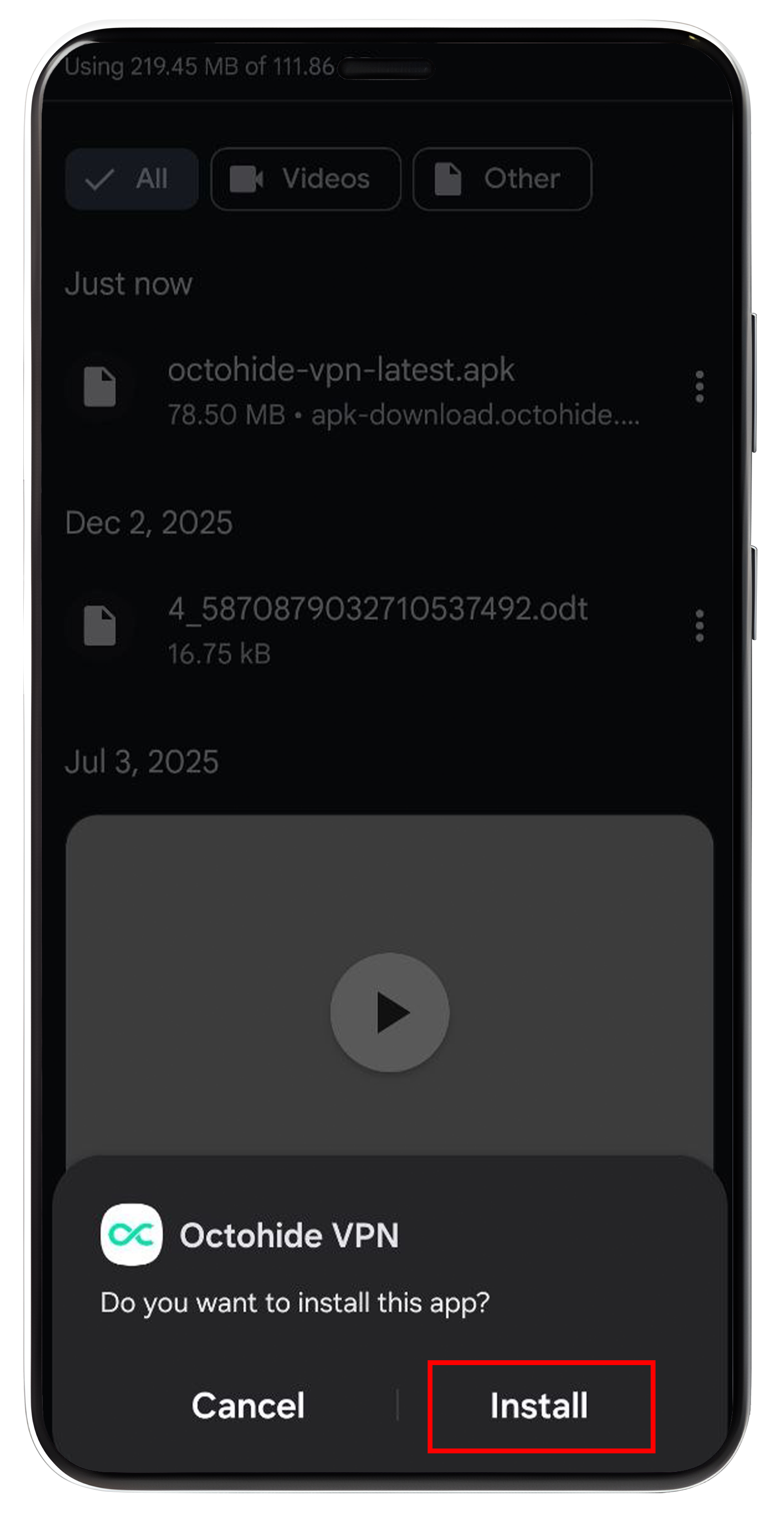
Android will begin installing Octohide VPN.
The installation usually takes less than a minute.
Step 4: Open Octohide VPN
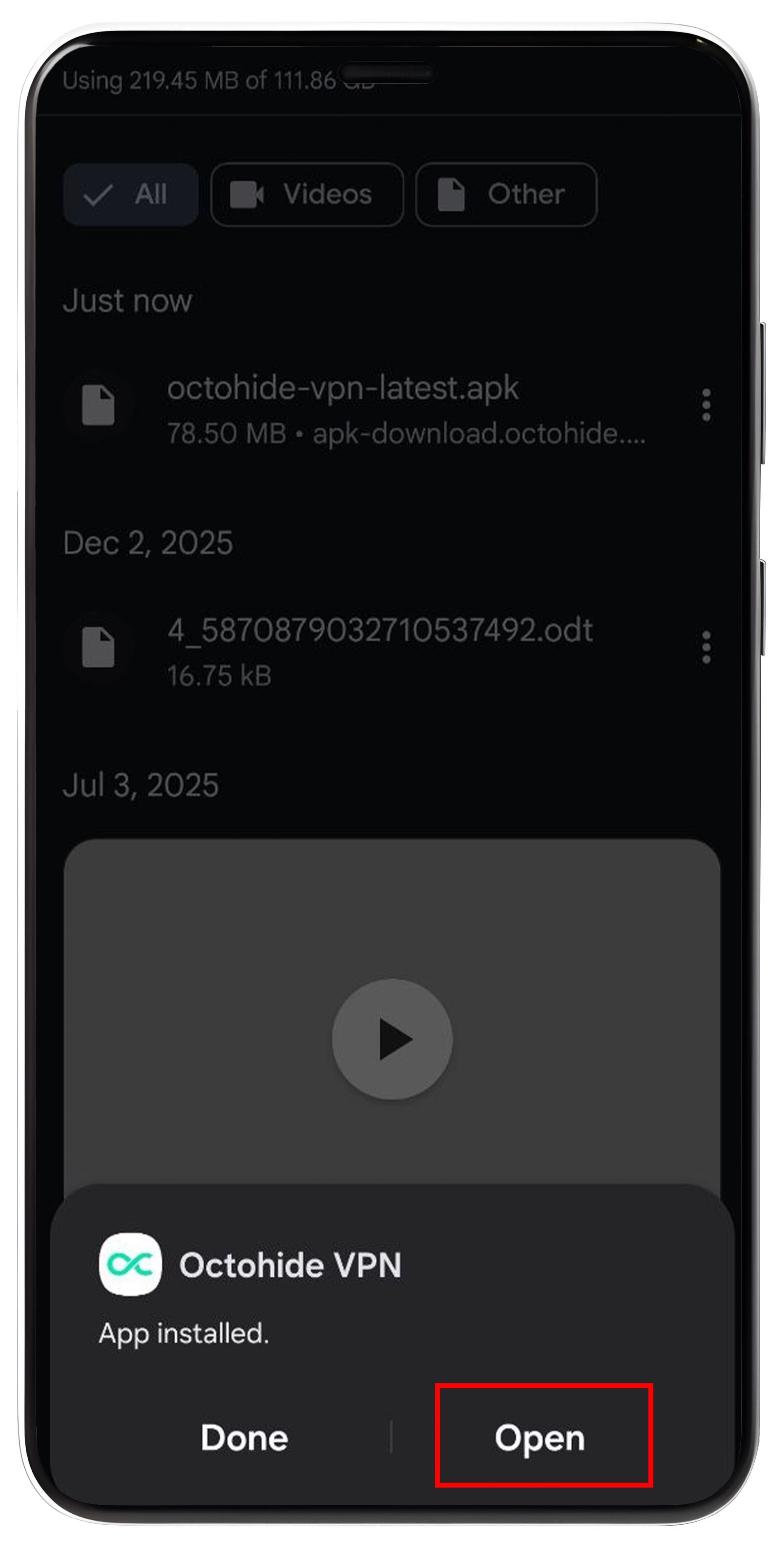
Once installation finishes:
Tap Open
or
Find Octohide VPN in your app drawer.
The app is now ready to use.
Step 5: Log In (Optional)
You have two ways to start using Octohide VPN.
Option 1: Continue Without an Account
You can immediately start using Octohide VPN without creating an account.
Benefits include:
- No registration required
- Unlimited bandwidth
- Instant access to free servers
Option 2: Log In to Your Account
If you already have an Octohide account, simply sign in.
Benefits include:
- Access to your VIP subscription
- Sync across multiple devices
- Account management
- VIP features
You can also use the new QR Code Login feature for faster authentication between supported devices.
Step 6: Connect to a VPN Server
Choose a server location from the list.
Tap Connect.
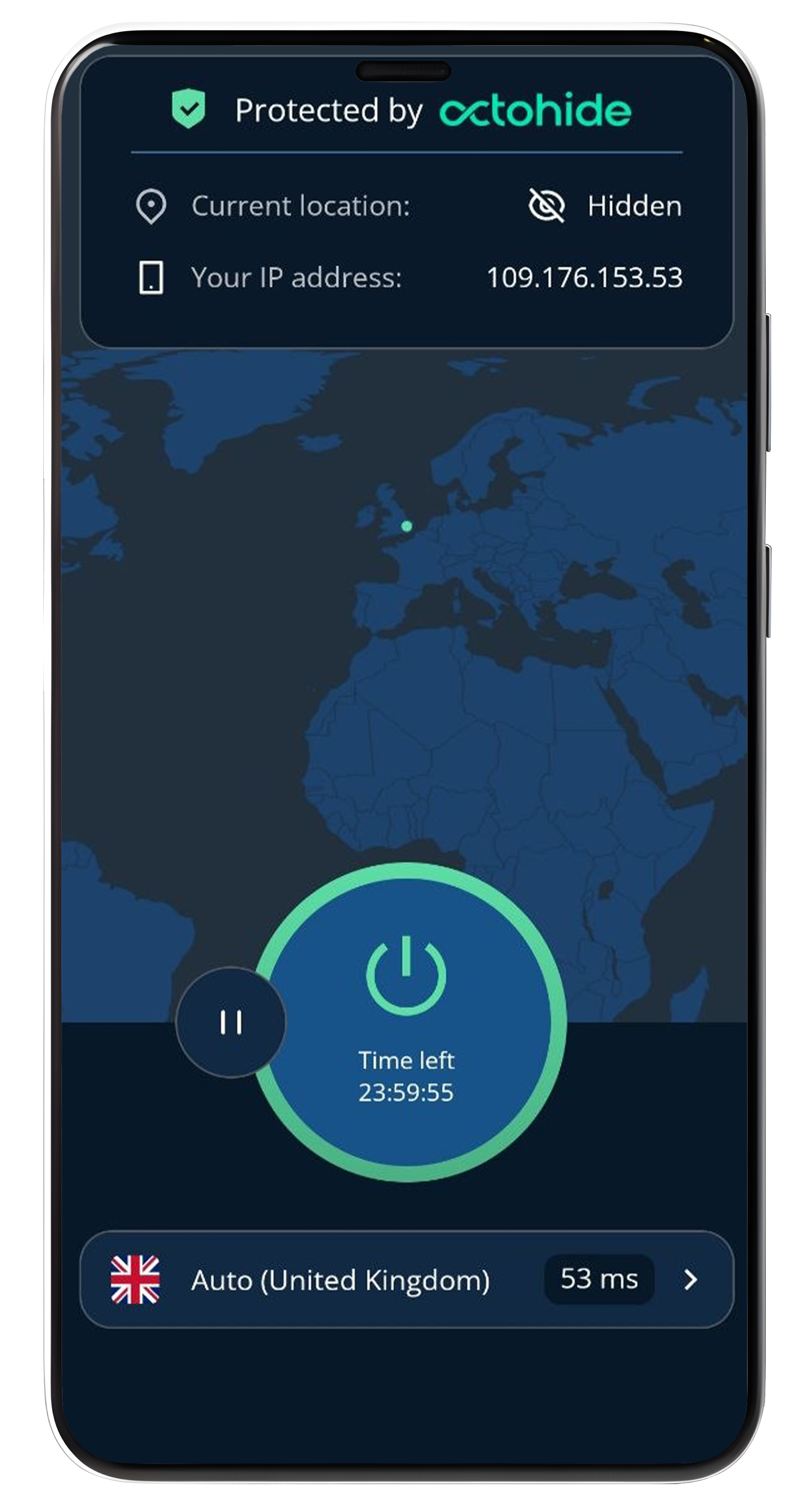
Within seconds, your internet traffic will be protected.
Octohide VPN offers:
- Free global server locations
- Fast server switching
- Unlimited bandwidth
- Modern protocols including VLESS
Verify That Your VPN Is Working
After connecting, it's a good idea to verify that your VPN is active.
We recommend checking your public IP address using Check-Host IP Info.
The website displays:
- Your public IP
- Country
- ISP
- ASN
- Network information
If the displayed location matches your selected VPN server instead of your real location, your VPN connection is working correctly.
Why Choose the Octohide VPN APK?
Installing the APK gives you access to all of Octohide VPN's key features.
Unlimited Bandwidth
Unlike many free VPNs, Octohide doesn't impose monthly data limits.
Modern VLESS Protocol
Octohide supports VLESS, providing:
- Faster performance
- Better efficiency
- Improved connectivity in many network environments
No Browsing Logs Policy
Your browsing activity isn't stored or tracked.
Fast Server Switching
Quickly change between server locations with minimal interruption.
Multi-Device Support
VIP users can protect up to 4 devices simultaneously, including Android phones, Android TVs, and other supported platforms.
Troubleshooting APK Installation
The APK Won't Install
Try the following:
- Ensure you've downloaded the complete APK.
- Verify that installation from unknown sources is enabled.
- Free up storage space.
- Restart your device.
The App Won't Open
Make sure you're using the latest version of the APK.
If the issue persists:
- Restart your device.
- Reinstall the APK.
- Contact Octohide Support.
Can't Log In?
Check:
- Your email address
- Password
- Internet connection
If you've purchased VIP without creating an account, you'll first need to register using the same email associated with your automatically created profile. Your VIP subscription can then be linked to your new account, allowing you to sign in across supported devices.
Is the APK Safe?
Yes—as long as you download it from the official Octohide website.
Official APK releases receive the same updates and security improvements as the Google Play version.
For the best security:
- Download only from Octohide.
- Keep the app updated.
- Avoid unofficial APK repositories.
Why More Users Are Choosing APK Installations
APK installations are becoming increasingly popular among Android users who want:
- Greater installation flexibility
- Access on devices without Google Play
- Direct downloads from developers
- Faster access to the latest releases
Whether you're using a smartphone, Android TV, or another compatible Android device, the APK version offers the same trusted Octohide VPN experience.
Final Thoughts
Installing the Octohide VPN APK is quick, simple, and gives you the flexibility to use the app even when Google Play isn't available.
With unlimited bandwidth, fast global servers, modern VLESS technology, and a no browsing logs policy, Octohide VPN helps you stay connected wherever you are.
Download the latest APK from the official Octohide website, complete the installation in minutes, and enjoy secure, reliable VPN protection on your Android device.
FAQ
Where can I download the Octohide VPN APK?
Always download the APK from the official Octohide website to ensure you're using the latest and most secure version.
Is the Octohide VPN APK free?
Yes. The APK includes access to Octohide's free plan with unlimited bandwidth, and optional VIP subscriptions are available for additional features.
Is the APK safe to install?
Yes, provided you download it from the official Octohide website.
Can I install the APK on Android TV?
Yes. The APK can be installed on supported Android TV devices. You can also sign in quickly using the QR Code Login feature available in the latest app versions.
Does the APK support the VLESS protocol?
Yes. The Android APK includes support for VLESS, offering fast and efficient VPN connections.