
Introducing Octohide Web Account: Manage Your VPN from Any Browser
Managing your VPN account should be simple - whether you're using your phone, tablet, or computer. That's why we're excited to introduce Octohide Web Account, a new way to manage your Octohide VPN account directly from your browser.
With this update, you can sign in to your account on octohide.com, manage your subscription, view your devices, reset your password, and more - all without opening the app.
This guide walks you through everything you need to know about getting started.
Direct Answer
The new Octohide Web Account lets you securely manage your VPN account online. Simply sign in at octohide.com, and you'll be able to:
- View your account information
- Manage your VIP subscription
- See your connected devices
- Reset your password
- Keep your account synchronized across supported devices
Combined with our new QR code login, signing in to new devices is now faster than ever.
TL;DR
- Octohide Web Account is now available on octohide.com
- Manage your account from any web browser
- View your subscription and connected devices
- Reset your password online
- Use QR code login for faster authentication
- Your account stays synchronized across supported devices
What Is the Octohide Web Account?
The Octohide Web Account is a secure online portal that allows you to manage your VPN account outside of the mobile app.
Instead of relying only on your phone, you can now log in from virtually any browser and access your account whenever you need it.
Whether you're at home, at work, or traveling, your account is always within reach.
What Can You Do on the Website?
The new web dashboard brings together the most important account management features in one place.
You can:
- View your account information
- Check your VIP subscription status
- See which devices are connected
- Reset your password
- Manage your login credentials
As new features are released, the web account will continue to evolve, making it even easier to manage your Octohide experience.
How to Use the Octohide Web Account
Getting started only takes a few minutes.
Step 1: Open the Octohide Website
Open your preferred browser and visit octohide.com.
Navigate to the account login page.
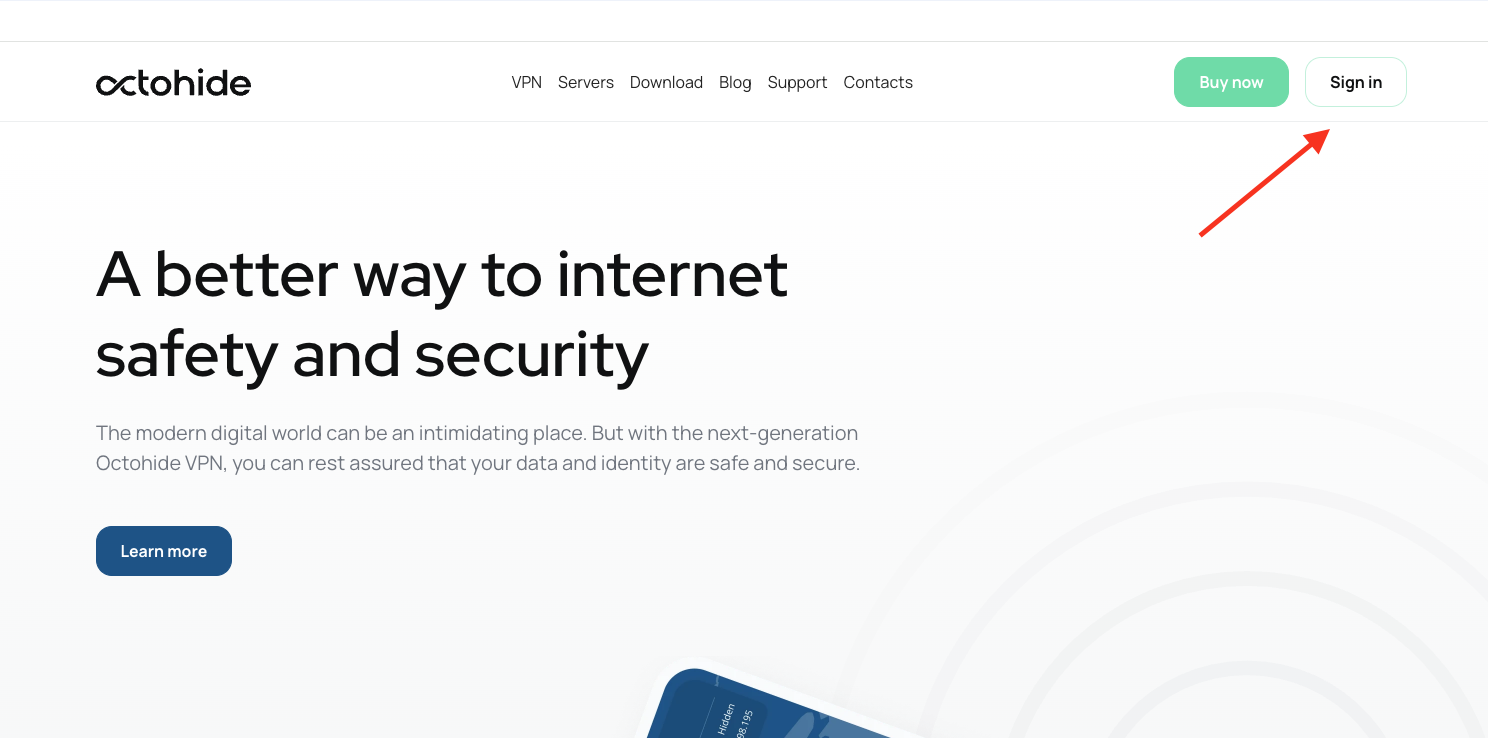
Step 2: Sign In
Log in using the same email address and password you use with your Octohide account.
Once signed in, you'll immediately have access to your account dashboard.
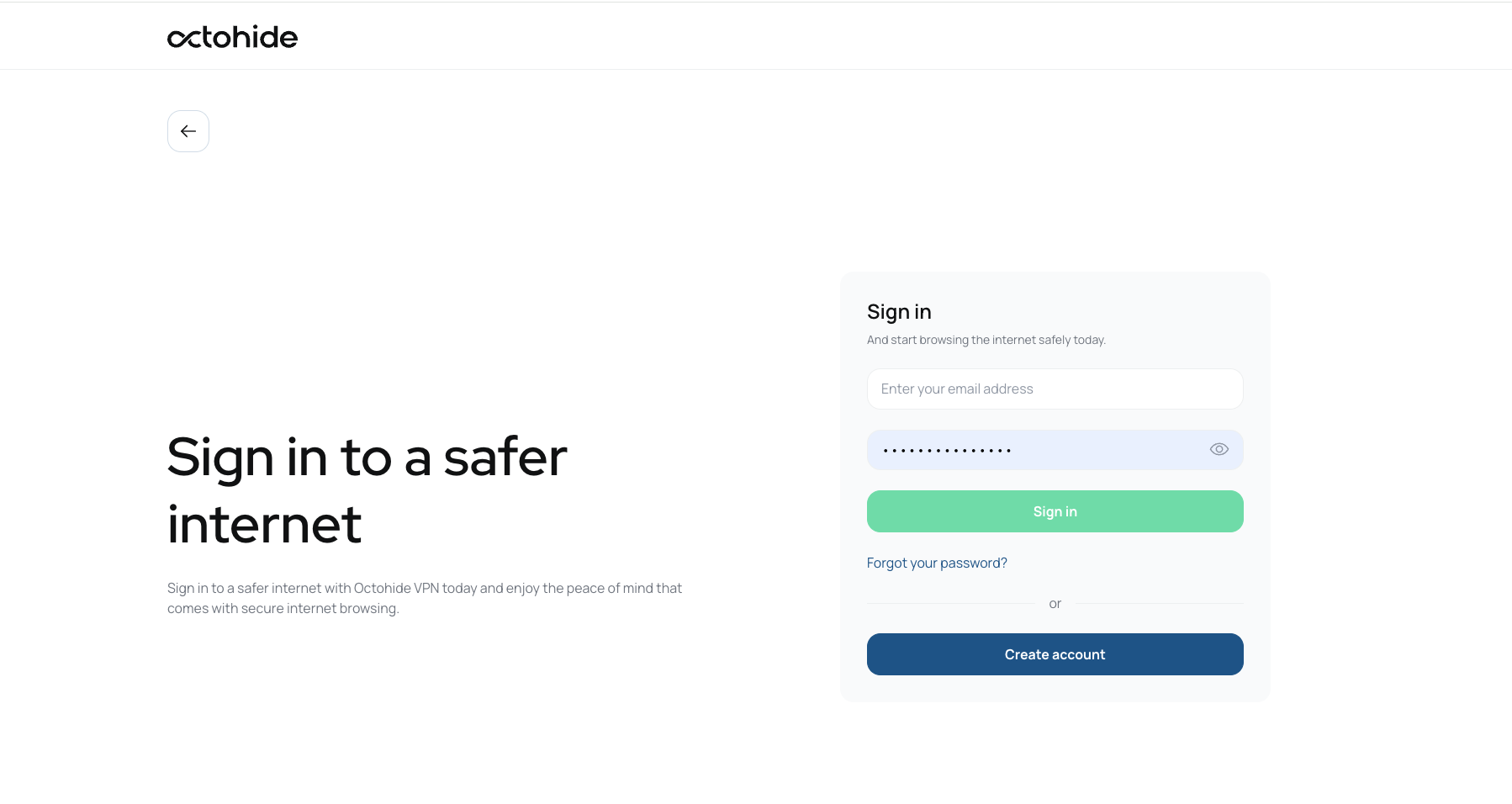
If you do not have and account you can create one by clicking "Create account".
Step 3: Explore Your Dashboard
After logging in, you'll be able to view important account information, including:
- Your account details
- Your active VIP subscription (if applicable)
- Connected devices
- Account settings
Everything is organized in a clean, easy-to-use interface.
Step 4: Manage Your Devices
If you're using Octohide VPN on multiple supported devices, the website makes it easier to keep track of them.
With a VIP subscription, you can protect up to four devices simultaneously, making it simple to stay connected across your smartphone, tablet, TV, and other supported platforms.
Step 5: Reset Your Password
Forgot your password?
You no longer need to search through the app.
The website allows you to quickly reset your password and regain access to your account.
Faster Sign-In with QR Code Login
Alongside the new web account, we've also introduced QR code login.
Instead of manually entering your email and password on another device, you can simply scan a QR code using the Octohide app.
Benefits include:
- Faster authentication
- Fewer typing mistakes
- Easier sign-in on supported devices
- A smoother experience when setting up a new device
The web account and QR code login work together to make account access more convenient than ever.
Already Purchased VIP Without an Account?
If you purchased a VIP subscription without first creating an Octohide account, don't worry.
An automatic profile was created for your subscription.
To use your VIP subscription across multiple devices and access the new web account:
- Create an Octohide account using the same email address shown in your automatically created profile.
- Your VIP subscription will automatically link to your account.
- You can then sign in on the website and any supported device.
You ca read more about that here.
If you run into any issues, our support team is always ready to help.
What's Next?
This is just the beginning.
We'll continue expanding the web platform with new features and improvements, making account management even more powerful while keeping the experience simple and secure.
Final Thoughts
The launch of the Octohide Web Account marks an important step in making Octohide VPN easier to use across all your devices.
With browser-based account management, QR code login, support for up to four devices with VIP, and simple password recovery, managing your VPN has never been more convenient.
If you haven't tried it yet, sign in to your account on octohide.com and explore the new experience today.
FAQ
What is the Octohide Web Account?
It's a secure online dashboard that lets you manage your Octohide VPN account from any web browser.
What can I do on the website?
You can view your account information, manage your VIP subscription, see connected devices, and reset your password.
Can I use my VIP subscription on multiple devices?
Yes. A VIP subscription supports up to four devices simultaneously. Simply sign in with the same Octohide account on each supported device.
What is QR code login?
QR code login lets you sign in to supported devices by scanning a QR code instead of manually entering your credentials.
I bought VIP without creating an account. Can I still use the website?
Yes. Create an Octohide account using the same email address associated with your automatically created profile. Your VIP subscription will automatically link to your account, allowing you to sign in on the website and other supported devices.